
Restaurant reservations · by Glasgow GFX
Reservations that run on your till.
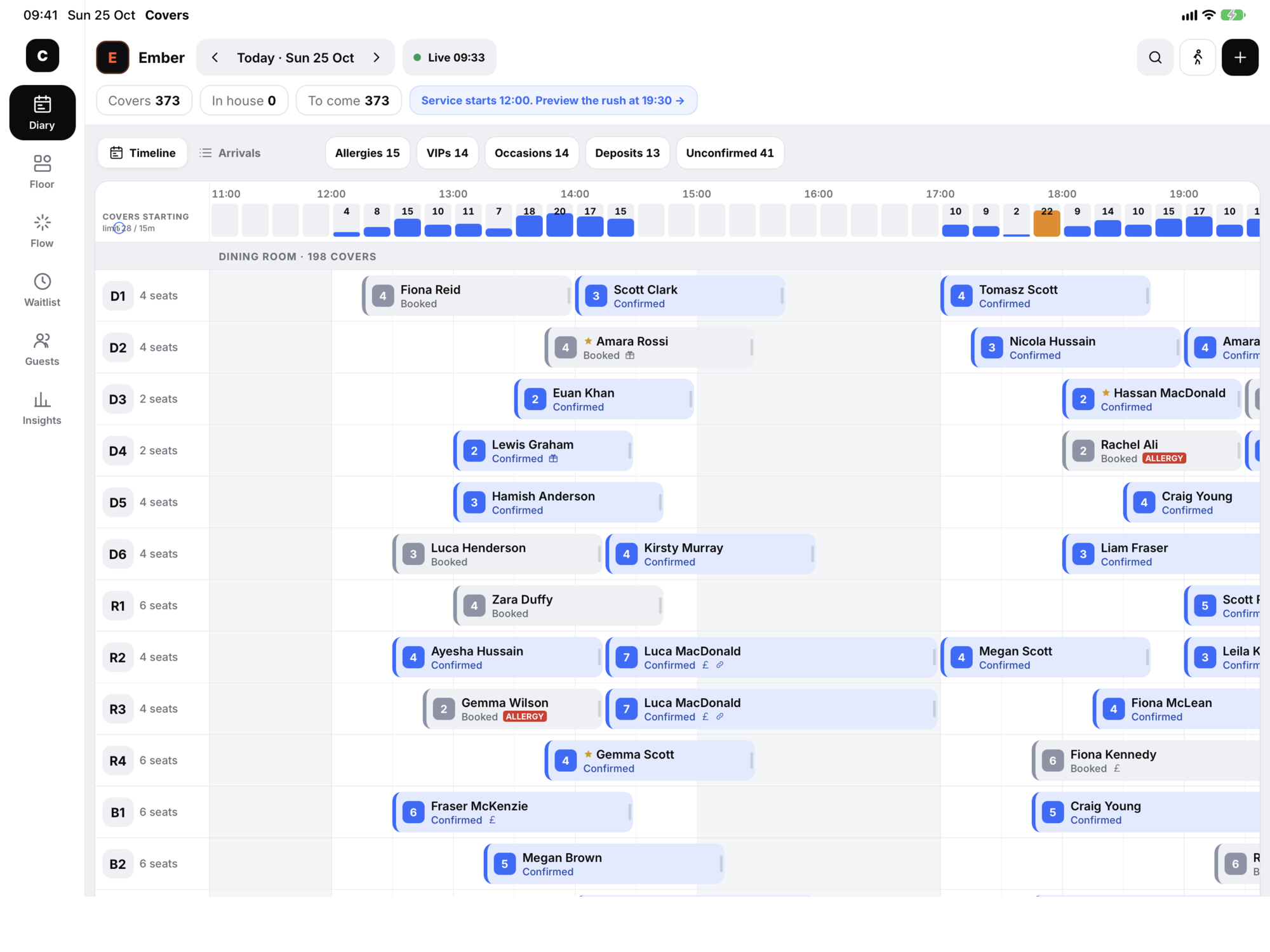
A host stand for iPad and iPhone, and a booking widget in your own brand. Built on the same platform as the GFX till, so seating a table opens its tab, and every bill teaches you something about your guests.
One booking, start to finish
Two sides. One system.
Guests get a booking page that feels like your restaurant. Your team gets a host stand that knows everything the till knows. There's nothing in between to sync, match or reconcile.
- 01
A guest books
On your website, in your colours. Party, date, time, a little extra for the occasion, their details. Allergies go straight to the kitchen.
- 02
It lands on the stand
Within seconds the booking pulses onto the diary with a “New website booking” toast, and the best table is already chosen.
- 03
You know who’s coming
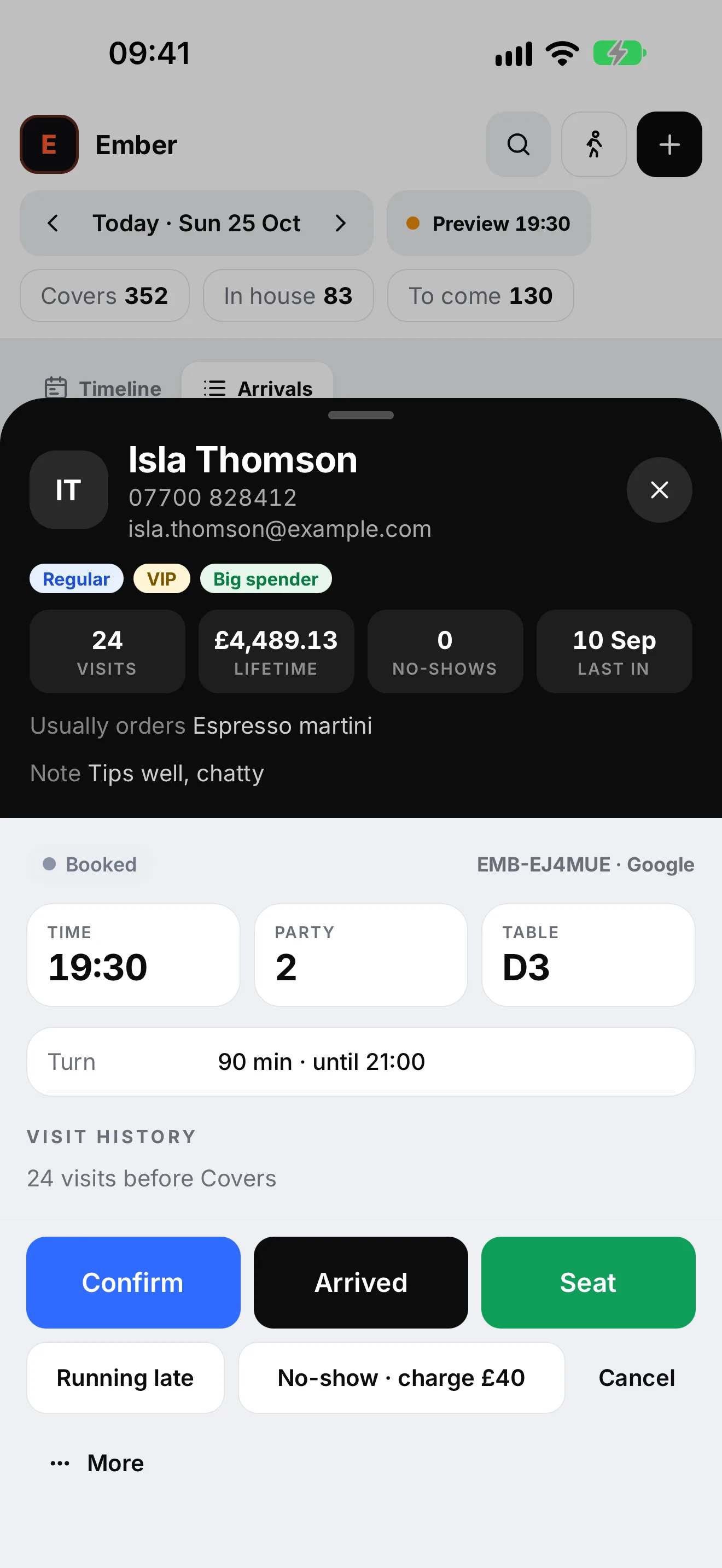
Returning guests are recognised: visits, lifetime spend, last visit, the allergy you need to know about.
- 04
Seat them. The tab opens.
Seat a table and its tab opens on the till. Close the bill and the spend lands on the guest’s profile for next time.
Guest book
Know who's walking in.
Open any booking and the guest is already there: how often they come, what they've spent, when they were last in. An allergy isn't a note in the margin, it's a red bar across the booking.
- Recognised by name or number as you type
- Allergies and dietary needs on the booking, the diary and the profile
- Tags like VIP, Regular and First visit; allergy and no-show risk added for you
- Spend from the till, not typed in by hand
Fearless on a busy night
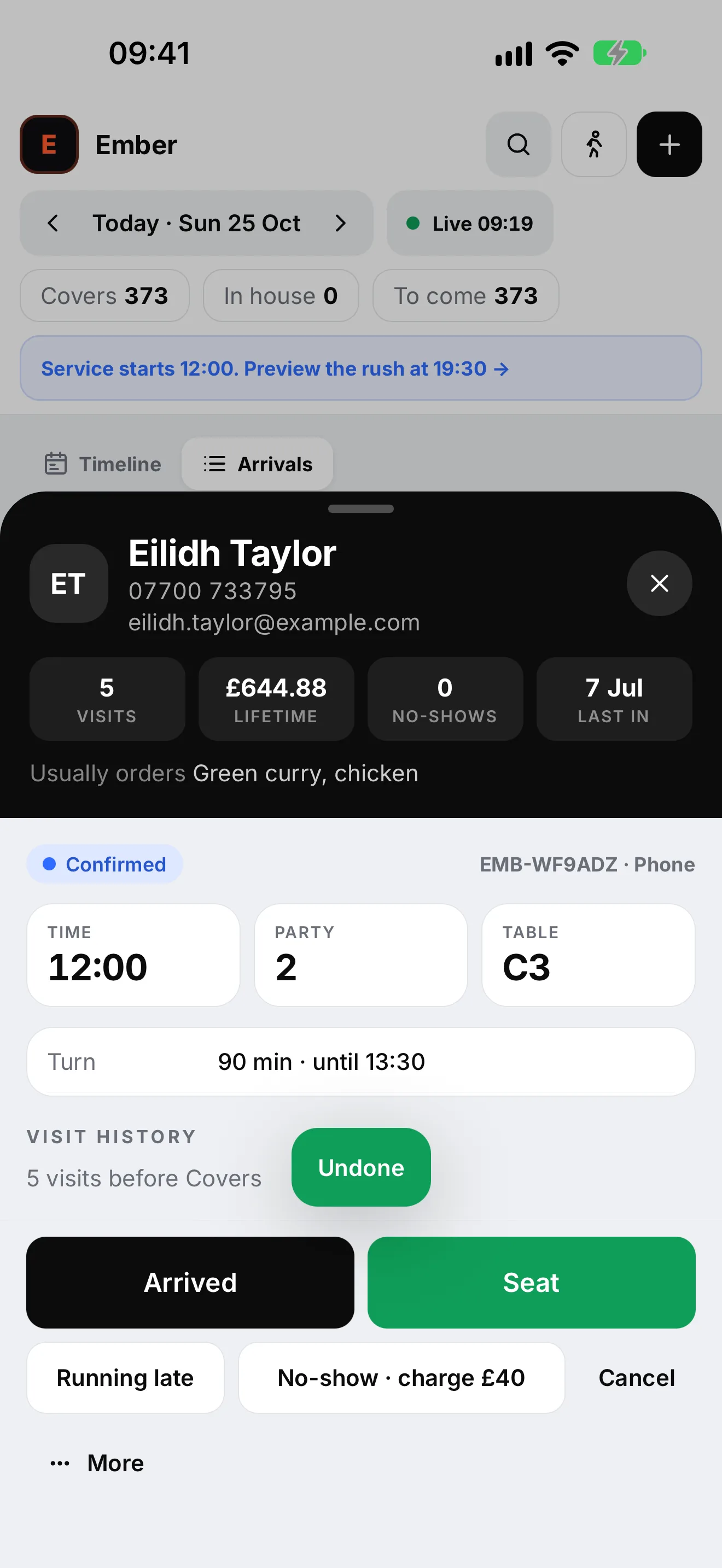
Every change has an Undo.
Moved the wrong table? Marked the wrong party late? Tap Undo and it's as it was. On an iPad with a keyboard, press Z. New staff learn the stand faster when nothing they press is permanent.
- Long-press any booking for quick actions
- Drag to move, with a clash warning before you drop
- One tap for a no-show
Flow + Copilot
One press does the next thing.
Flow turns the host stand into a keypad. Every table is a key, drawn as a shape you can read from across the room. Copilot watches the floor and suggests the next move: chase the late party, rescue the table running over, brief the kitchen before the allergy arrives.
- Red disc
- Dining. It fills like a pie as the meal goes on.
- Blue half
- A booking is due.
- Yellow square
- They want the bill.
- Red triangle
- Running over. Copilot already has a plan.
The host stand
Everything the door needs. Nothing it doesn't.
-
Diary
Every table across the evening. Drag to move, drag the edge for longer, and it refuses a clash before you drop.
-
Arrivals
Who's due, who's in, who's late, in the order they'll walk through the door.
-
Floor plan
Every table's timer, course and next booking at a glance.
-
Waitlist
Add a walk-in, get a quoted wait from the live floor, seat them in one tap.
-
Guest book
Visits, spend, allergies and tags like VIP or Regular on every guest's profile.
-
Insights
Tonight in plain English: covers, the busiest half hour, where bookings came from, and the allergies and occasions to know about.
-
Made for iPad, with a keyboard if you have one
Every shortcut appears in iPadOS's ⌘ overlay. Typing in a field still types.
- N New booking
- W Seat a walk-in
- 1 – 6 Switch tab: Diary, Floor, Flow, Waitlist, Guests, Insights
- F Flow
- Z Undo the last change
- ⌘ K Find anything: a booking, a guest, a table, a time
Getting started
How it works
- 1
Talk to us
Tell us about your rooms, your services and how your door runs today. We'll show you Seato on your kind of night.
- 2
We set up your venue
Your areas, tables and which ones join, opening hours, turn times, deposit rules and extras, and the widget in your brand.
- 3
Go live
Put the booking widget on your website and socials. Staff sign in on iPad or iPhone with a venue PIN.
- 4
Run service
Bookings land live. Seat, bill, close. Your guest book fills itself from the till.
For multi-venue groups
Every venue its own. One platform underneath.
Each restaurant keeps its own diary, floor plan, waitlist and a booking widget in its own brand. Staff pick their venue when they sign in. Underneath, it's the same system and the same till platform across every site.
Talk to us about your group What does it run on?
The host stand is an app for iPad, iPhone and Android, and it also runs in a web browser. Guests book through a widget on your website or in the Seato app. Everything is one system, so a booking made anywhere shows up everywhere within seconds.
Do my guests need to download an app?
No. Guests book through the booking widget on your own website or a link you share. The app is there for guests who want it, but nobody has to install anything to book a table.
How does it work with the till?
Seato is built on the same platform as the GFX till. Seat a table on the host stand and its tab opens on the till; close the bill and the spend lands on the guest's profile. Not on the GFX till? Talk to us about how you work today.
Can the booking widget look like our restaurant?
Yes. Each venue's widget wears its own colours, typeface and voice. Text colours are checked automatically against your background so they stay readable (WCAG AA contrast), however pale your brand colour is.
Can we take deposits?
Deposits are set per venue, for example for larger parties, and the guest sees the amount before they confirm. Talk to us about how you'd like deposits and no-show charges to work for your venue.
How are allergies handled?
Guests tell you about allergies and dietary needs when they book. It shows on the booking in red, on the diary block, and on the guest's profile for next time, and Copilot reminds you to brief the kitchen before the table arrives.
We have more than one restaurant. Does that work?
Yes. Each venue has its own diary, floor plan, waitlist and branded booking widget, and staff choose their venue when they sign in. Talk to us about how your group is set up.
Who owns the guest data?
You do. The restaurant is the controller of its guests' data and Glasgow GFX processes it on your behalf to run your bookings. The app has no advertising, no tracking and no analytics SDKs. Read the privacy policy.
See it on a Saturday night
Book a demo and we'll walk you through Seato on a busy service: a guest books on their phone, it lands on the host stand, you seat them and the tab opens on the till.
Opens an email to support@glasgowgfx.co.uk. We'll reply to arrange a time.